- Adolf Hitler (1889-1945), Führer of Germany
- Benito Mussolini (1883-1945), Prime Minister of Italy (not yet available)
- Franklin D. Roosevelt (1882-1945), President of the United States
- Harry S. Truman (1884-1972), President of the United States
- Winston Churchill (1874-1965), Prime Minister of Great Britain
- Joseph Stalin (1878-1953), General Secretary of the Soviet Union
Friday, September 21, 2018
Famous Wold War II Leaders
FamilySearch recently did a quiet launch of ancestors.familysearch.org - a publicly viewable version of the Tree. Using the surname directory, here are some famous leaders from World War II:

Thursday, September 20, 2018
Linking to the FamilySearch Tree
FamilySearch recently did a quiet launch of ancestors.familysearch.org - a publicly viewable version of the Tree. Only a small portion of the Tree is currently available but that should grow in the coming months. For now, we've tried to publish the most popular ancestors. Check out the surname directory to find your ancestors. We're still working with the major search engines to make all the pages available that way. It turns out it isn't a simple thing to get Google and the others to crawl through millions and millions of web pages. :-)
FamilySearch has two goals in making this data available. First, to provide a linkable reference that everyone on the internet can use when referring to specific persons in history. The FamilySearch Tree is the largest online Family Tree and is the most "sourced" Tree. It has more primary sources linked to its record than any other.
Second, we're trying to get the word out about the great resources that FamilySearch provides to the world for free.
A few notes about these new "public ancestor" pages:
FamilySearch has two goals in making this data available. First, to provide a linkable reference that everyone on the internet can use when referring to specific persons in history. The FamilySearch Tree is the largest online Family Tree and is the most "sourced" Tree. It has more primary sources linked to its record than any other.
Second, we're trying to get the word out about the great resources that FamilySearch provides to the world for free.
A few notes about these new "public ancestor" pages:
- Only about 15 million ancestors are currently available. That is a lot but it only comprises about 1.5% of the Tree that is available to users after they login.
- Only dead ancestors that are "public" are available. There are some other restrictions also due to geopolitical and cultural issues.
- Not all information is shown on the public pages. You must create a free account and login to FamilySearch to see the "non-vital" information about the ancestor: other names, facts, events, sources, pictures, stories, and memories.
Sunday, February 21, 2016
Easiest Way To Do Research In FamilySearch's Tree
There are two basic ways to do expand your family tree. You can try to add more direct ancestors or you can work on fleshing out the families of your ancestors by finding their spouses and descendants.
Finding descendants is what I spend most of my time on. What follows is my approach. Hopefully it is helpful for you.
If you have any troubles or I can help in any way please let me know.
Finding descendants is what I spend most of my time on. What follows is my approach. Hopefully it is helpful for you.
- Pick an ancestor fairly far back. Right now I'm starting with one of my 3-great grandmothers,
Margaret Hackston (1832-?). I prefer an ancestor born in the early 1800s because there are good records in the 1800s and therefore progress is much easier.
- Bring up the "Tree" for the ancestor.

- Switch to the Decendancy View by clicking the icon in the upper left corner.

- Look for the blue "Record Hints" icons beside the descendants. Clicking on this icon will show a list of historical records that FamilySearch has found that they think involve this person. Each is an opportunity to improve your tree. If you do not see any then you may need to expand the number of generations shown and scroll down.


If you have any troubles or I can help in any way please let me know.
Sunday, February 14, 2016
How To Fix An Incomplete Pedigree Caused By Multiple Parents
I recently helped someone with a very common problem. His pedigree was incomplete because his grandmother was missing - yet when he looked she was definitely there. Here's a video that explains the solution.
The problem was caused by his mother have two sets of parents. There are three different types of records in Family Tree: Persons, Couple Relationships, and Parent-Child Relationships. In this case his mother had two different Parent-Child Relationships. One contained both her parents and was the right one. The other contained only her father. This is confusing but it does enable Family Tree to properly handle many of the complicated situations that arise in families.
The solution is to delete the incomplete relationship:
The solution is to delete the incomplete relationship:
- Go to the Person Page for the child that has the "missing" parent.
- Scroll down to the "Family Members" section.
- If two sets of parents are shown on the right then the solution is to delete the erroneous set.
- If needed, click the down arrow to expand the "Children" list under the parents.
- Click the pencil icon that is to the right of the name of the child. This will enable you to edit the relationship to their parents.
- At the bottom of the window that pops up click the "Show All Information about this Relationship" link.
- You will be taken to the Parent-Child Relationship page. Make sure this is the relationship you want to delete.
- Click the "Delete Relationship" link on the right.
- Fill you the form and then click the "Delete" button. You will have to complete the form before the button will work.
- Your pedigree is fixed!
Still confused? Respond in the comments or send me a message!
Sunday, January 31, 2016
The Doctor Is In
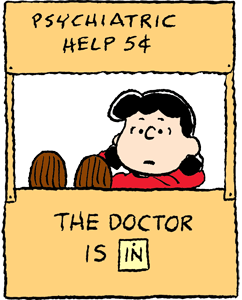
Just send me a message and I'll see what I can do.
* Yes, I'm Mormon also. I just find that Mormons with pioneer ancestry are often of this belief that somehow the whole human family is "done".
Subscribe to:
Posts (Atom)